
Offer a clinic, not an unexplained court slot
Tell guests the skill level, session length and coaching format. Explain paddle provision, footwear and arrival instructions before they choose a ticket.
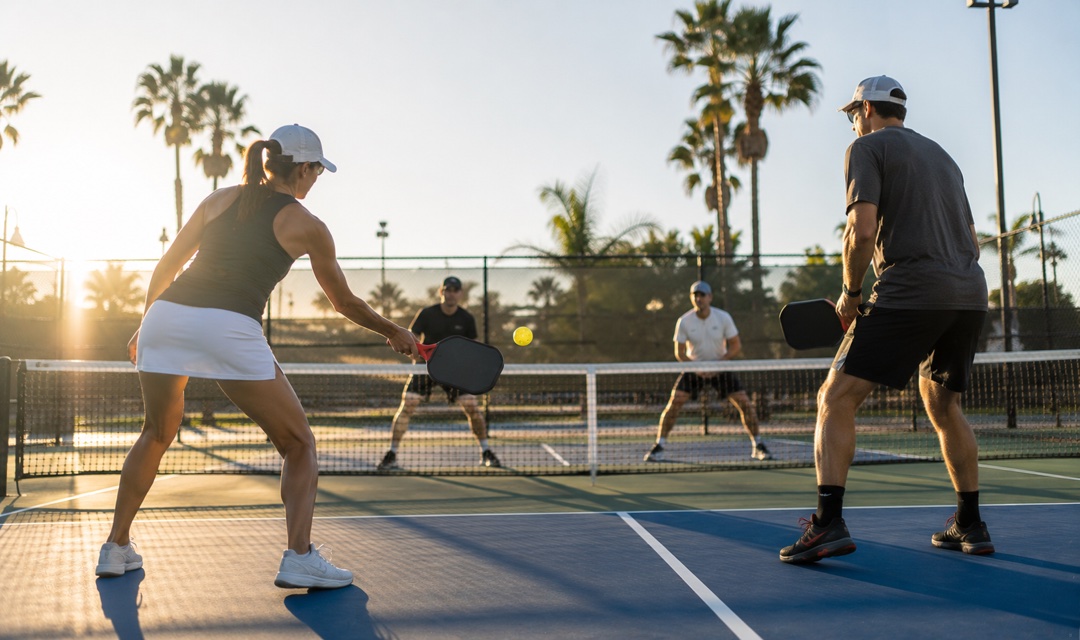
Sell places at beginner pickleball clinics with clear session choices, coach introductions and equipment notes. Keep the booking and courtside QR check-in in one event workflow.
FROM BOOKING TO ARRIVAL
Tell guests the skill level, session length and coaching format. Explain paddle provision, footwear and arrival instructions before they choose a ticket.
Offer repeating dates and a defined start time on one page. Each booking is for one coached session, with a ticket quantity you can review before opening sales.
Introduce the coaches and ask the buyer how many loan paddles their group needs. Review bookings and scan QR tickets on arrival; equipment requests still need organizer confirmation.
EXAMPLE SCENARIO
Example scenario: a coaching pair offers 90-minute adult beginner sessions on Wednesday, Saturday and Sunday mornings. One place starts at USD 28 and includes instruction, shared balls and a loan paddle during the session. The template begins with 12 tickets in total across the event, not 12 per date. Two sample coaches and an optional buyer equipment question support preparation. The organizer must arrange real courts, adjust dates and stock, and confirm local weather and access policies.
Explore the demoINCLUDED TEMPLATE
Pick up the basics in a welcoming, coached session for adult beginners. Learn the court layout, try a controlled serve, practise a short rally and play simplified points with guidance. No previous pickleball experience is needed.
YOUR EVENT OPERATIONS


No. The template sells admission to a coached beginner session. It does not create brackets, rankings, court reservations, memberships or player matching. Arrange the courts and coaches yourself before opening bookings.
Guests choose one Wednesday, Saturday or Sunday 09:00-10:30 session before selecting tickets. The initial 12 tickets are overall event stock, not separate capacity for each date. Review inventory and session settings for your actual programme. A ticket is not a multi-visit pass.
The example includes loan paddles and shared balls for the clinic only. The buyer can request a number of paddles, but the answer does not reserve equipment automatically. Confirm supply yourself and edit the inclusions if guests must bring their own.
No. The optional equipment question is not a waiver or medical screening. Set your own participation, access and weather arrangements. The template does not provide insurance, weather guarantees or automatic rescheduling.
Tixmore creates an editable online event with a [DEMO] title, a date window from today to ten days later and a sample Central Park location. Replace the title, venue, actual date, ticket quantities and policies before sharing. The example is not a real customer event.
Connect your own Stripe account and review the current platform and processing fees on our pricing page. Guests receive QR tickets for check-in. The public demo cannot submit a booking, reserve a place or take payment.
Review the template, add your details and make it yours.